



B2B customers declare the machines they own in their account, and the catalogue shows only the spare parts compatible with their equipment.
The problem
A distributor of spare parts sells thousands of references, each one fitting a few machine models. The buyer knows their machines, not the part numbers: they search by model, call the sales rep, or order the wrong part. Sylius has no notion of a customer's equipment, nor of parts compatible with it.
Features
- Equipment models in the admin (Catalog > Equipment models): a unique code and a name per language.
- Compatibility per variant: on the variant form, tick the equipment models the part fits; deleting a model never deletes variants.
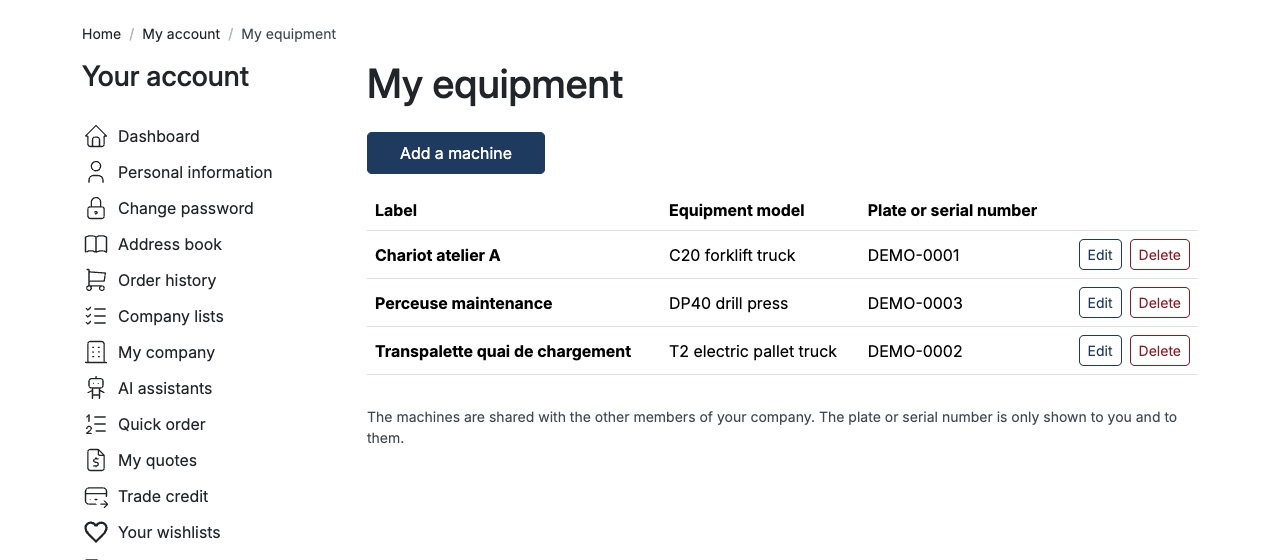
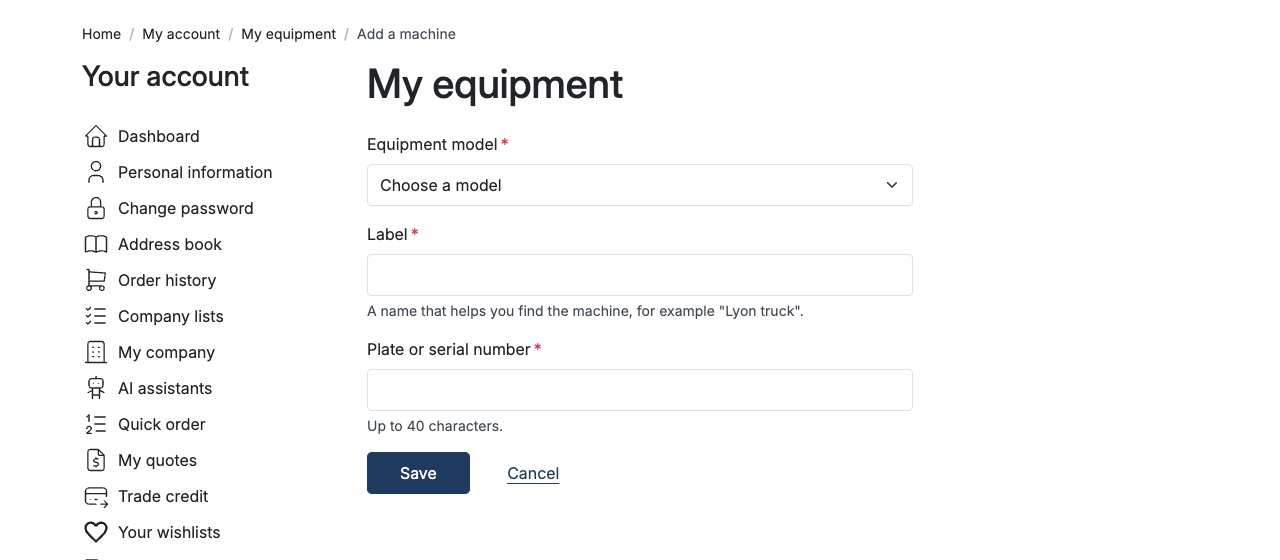
- My equipment in the customer account: list, add, edit and delete machines (equipment model, label, plate or serial number), up to a configurable number per customer.
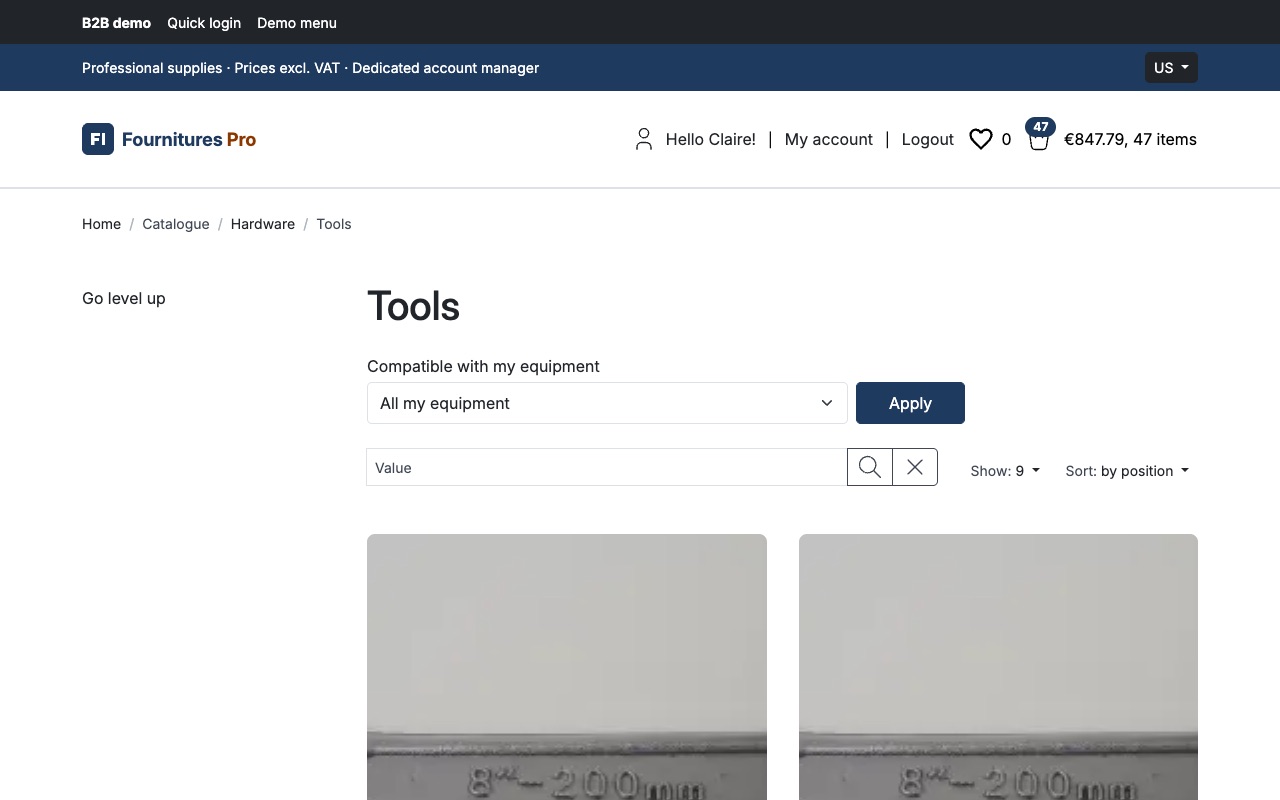
- Compatible with my equipment on category listings and their search: All my equipment, one machine, or All parts; the choice follows the customer from page to page and is kept in the URL for pagination and sorting.
- A clear message with Remove the filter when no product fits.
- No search engine needed: the filter extends the Sylius product listing query, and costs nothing until the customer selects it.
- Each customer sees only their own fleet; with a company accounts plugin, the fleet is shared by the active members of the company.
- Plates and serial numbers are treated as personal data: never logged, never in a URL, deleted with the customer account.
- Optional admin role to restrict who manages the equipment models.
Screenshots
Installation
composer require tmonier/sylius-customer-asset-management-plugin- Register
Tmonier\SyliusCustomerAssetManagementPlugin\TmonierSyliusCustomerAssetManagementPlugininconfig/bundles.php. - Import
@TmonierSyliusCustomerAssetManagementPlugin/config/config.yamland the routes. - Run
bin/console doctrine:migrations:migrate. - Create the equipment models, then tick the compatible models on the variants.
Full documentation: README on GitHub.
Compatibility
Sylius 2.2.9+ and 2.3; MySQL, MariaDB and PostgreSQL. Version 0.x: read the CHANGELOG before each upgrade.
Languages
English, French.
Reviews
No reviews yet. Be the first to review this product!
Compatibility & requirements
- Compatible with Sylius 2.2 and higher

Free, open source (MIT) Sylius 2 plugins for European merchants: compliance (Factur-X, EU withdrawal, GPSR), B2B (quick order, volume pricing, quotes) and back-office productivity. Tested, PHPStan max, 7 languages.
Read more
© 2026 Sylius. All rights reserved.